7 Power Picks: CRM Scoring Formulas, Focus Sessions, and Notion's Native App Rebuild
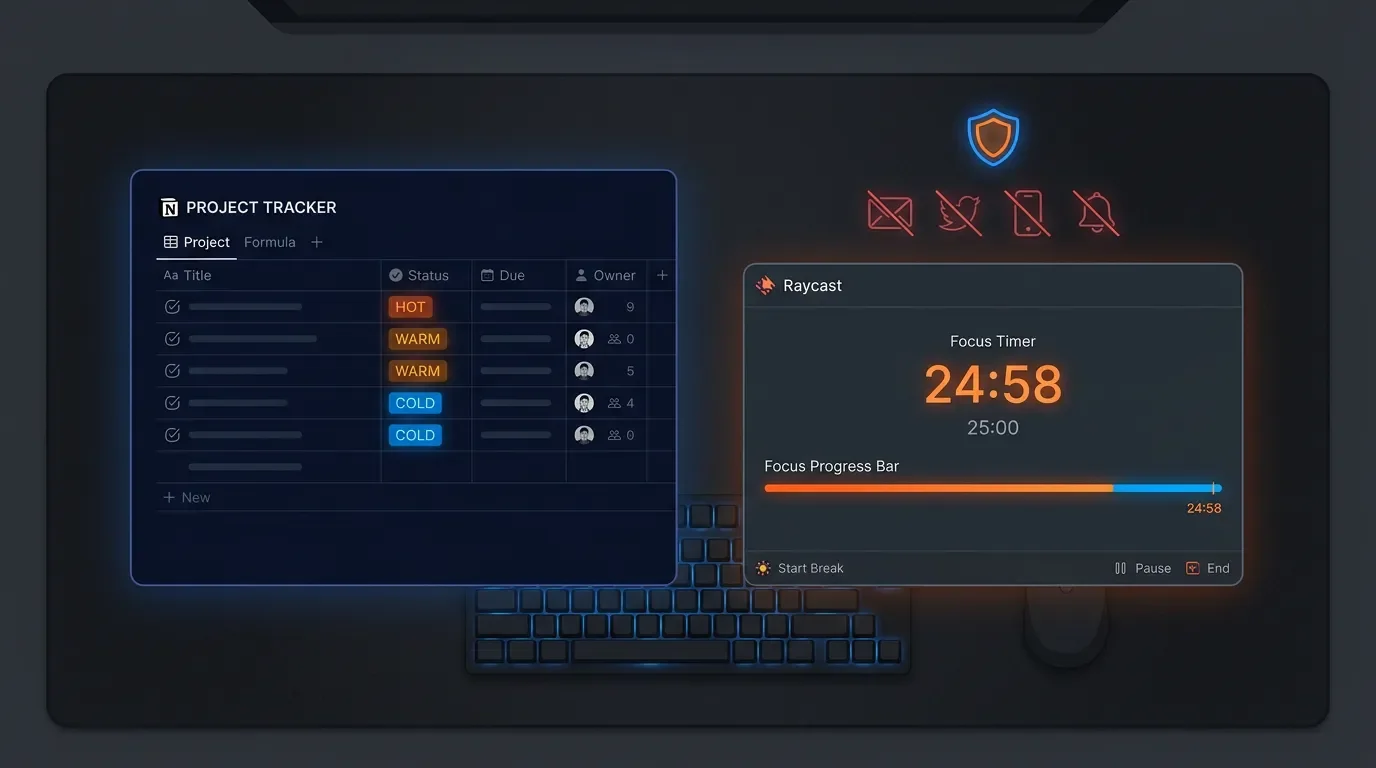
Three Notion picks — a copy-paste CRM lead-scoring formula, a ticket-close email automation using Define Variables, and Notion's confirmed SwiftUI rebuild. Three Raycast picks — Focus Sessions deep-dive (v0.64), the Quick Fix command, and Bring Your Own Key. Plus a cross-tool workflow that locks you into Notion-only deep work with one hotkey.
Seven picks this week: three Notion moves (CRM lead scoring, ticket-close email automation, and Notion's native SwiftUI rebuild), three Raycast upgrades (Focus Sessions in v0.64, the Quick Fix command, and Bring Your Own Key), plus one cross-tool workflow that locks you into deep work with a single hotkey.
Notion: CRM lead scoring with a single formula property
Most Notion CRMs rely on manual status updates to separate hot leads from cold ones. A single Formula 2.0 property changes that: it reads three signals — days since last contact, deal size, and tag count — and outputs a priority label automatically.
Add a
Formula property to your contacts database called Lead Score, then paste this into the formula editor:if(
and(dateBetween(now(), Last Contact, "days") < 7, Deal Size > 5000, Tags.length() >= 2),
"🔥 Hot",
if(
or(dateBetween(now(), Last Contact, "days") < 14, Deal Size > 1000),
"⚡ Warm",
"🧊 Cold"
)
)What it does: if the contact was touched within 7 days and the deal is above 5 000 and they carry 2+ tags, they're Hot. If either the recency or size threshold is met alone, they're Warm. Everyone else is Cold. Adjust the thresholds directly in the formula — no extra properties, no automations required.
dateBetween() requires both date arguments to be non-empty. If Last Contact can be blank, wrap the outer if in if(empty(Last Contact), "🧊 Cold", ...) to prevent a formula error.1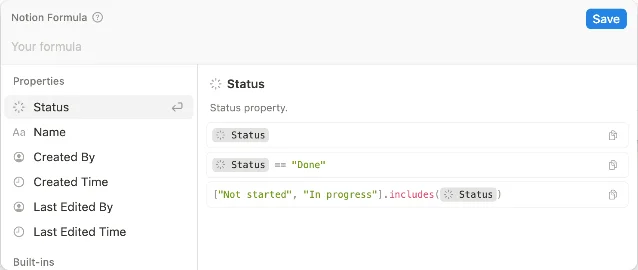
Notion: ticket-close email with a formula variable
Notion's
Send mail to action becomes genuinely useful once you pair it with Define variables — that combination lets you compose a personalized message that references the actual page name and the exact timestamp the automation fired.Setup (requires paid plan + Gmail linked):
- Open your support or task database → click
⚡→ New automation. - Trigger:
Statusset toComplete. - Action 1:
Define variables→ add Variable 1, click∑, and enter:"Your ticket "" + Trigger page + "" was resolved at " + Time triggered - Action 2:
Send mail to→ setToto theSubmitterpeople property → pasteVariable 1into theMessagefield. - Click Create.
Every ticket close now fires a personalized email without you touching anything. The same pattern works for onboarding flows, project kickoffs, or invoice-sent confirmations — swap the trigger and message text.23
Notion: native SwiftUI rebuild confirmed at WWDC 2026
This one isn't a tip — it's a heads-up that matters for how you plan your Notion setup. At WWDC 2026, Notion confirmed it is migrating its macOS and iOS apps from Electron to native SwiftUI.4
The announcement appeared in the Apple developer session around the 28:00 mark. What this means in practice: faster cold-start times, lower RAM usage, better integration with macOS system features (Focus filters, Shortcuts, Stage Manager), and a UI that tracks system appearance changes without the lag Electron apps typically show.
No rollout date is confirmed yet, but the migration is underway. If you've been holding off on building a heavier Notion workspace because of performance concerns, that calculus is changing.
Raycast: Focus Sessions, Focus Categories, and the v0.64 deep-dive
Raycast v0.64 (released June 12, 2026, macOS beta) brought back Raycast Focus — a full distraction-blocking system built into the launcher.5
Starting a session:
- Open Raycast → type
Start Focus Session. - Set a Goal (text you'll see in the floating bar), a Duration (5 min to 24 h, or "No Limit"), and a Mode —
Block Apps & Websitesblocks what you list;Allow Apps & Websitesblocks everything except what you list. - Add apps, sites, or saved Focus Categories to the block/allow list.
⌘↵to start.
The power move is Focus Categories. Run
Create Focus Category, name it something like "Distractions", and add Slack, Twitter, YouTube, and whatever else usually derails you. Drop that category into every new session instead of re-picking apps each time. Categories work in both Block and Allow modes.6Assign
Toggle Focus Session to a hotkey. It starts a new session with your last-used config, or stops the current one — one keystroke in, one keystroke out.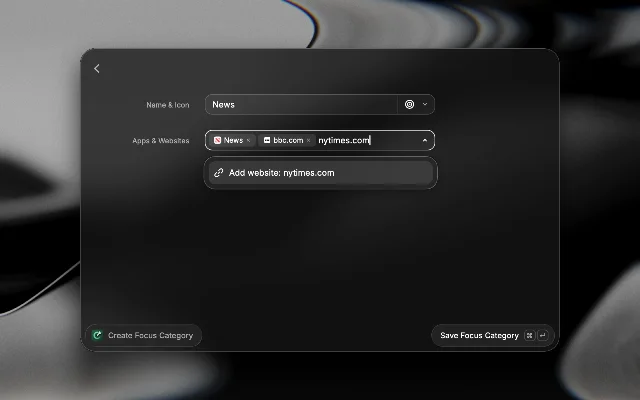
Other session controls worth knowing:
Edit Focus Session lets you add time or adjust the block list mid-session without stopping. Pause Focus Session suspends blocking for a configurable break duration (default 3 minutes). Browser tabs for blocked sites close automatically when a session starts; they're restored when it ends.For scripting and automation: Raycast Focus ships deeplinks —
raycast://focus/start?goal=Deep%20Work&categories=social,gaming&duration=3600&mode=block — so you can trigger a pre-configured session from a terminal script, a Shortcut, or a Raycast Script Command.6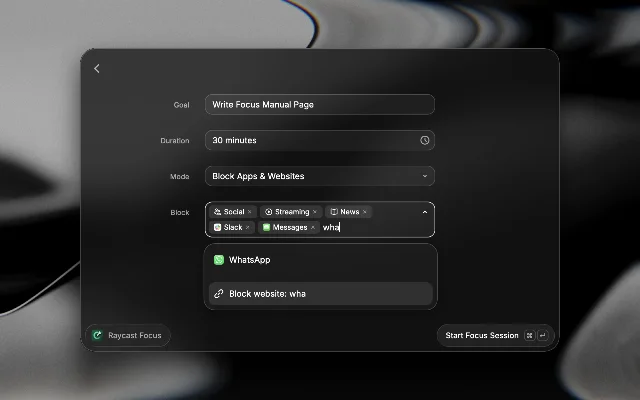
Raycast: Quick Fix — right Shift to clean prose
Raycast v0.61 (macOS beta, May 20) added
Quick Fix: select text anywhere on your Mac, tap the hotkey (the Raycast team uses right Shift), and the corrected text pastes back in place — spelling, grammar, and basic phrasing fixed in under two seconds.7Setup:
- Open Raycast → Settings → Raycast Focus → find
Quick Fix(it's under AI commands). - First launch runs a one-time onboarding that walks you through setting the hotkey.
- Assign right Shift (or any modifier you want) as the trigger.
Unlike a clipboard-based approach, Quick Fix works inline: you select, fire the hotkey, and the corrected version replaces the selection without you ever leaving the app you're writing in. It works across any text field that supports paste — emails, code comments, Notion pages, Slack messages.
The command uses whichever AI model you have configured in Settings → AI. If you're using BYOK (see next pick), it'll route through your own key at no additional cost per correction.
Raycast: Bring Your Own Key (v1.100)
Raycast v1.100 (June 11, 2025) added BYOK — Bring Your Own Key.8 You can now plug in your own API keys for Anthropic, Google, and OpenAI and use Raycast AI (Chat, Quick AI, AI Commands, Quick Fix) at your own provider cost, without a Pro subscription.
Setup:
- Raycast → Settings → AI → scroll to Custom API Keys.
- Click Add Key → choose provider → paste your key.
- Your added models appear in the model picker across all AI features immediately.
Why this matters: if you already pay for Claude or GPT-4o through your own Anthropic/OpenAI account, you no longer need a separate Raycast Pro tier to get AI features. You're billed through the provider at their standard API rates. For heavy AI Chat users, the per-token API cost often runs below the flat Pro subscription — run the numbers for your usage pattern.
The
Manage Models command (also new in v1.100) lets you disable individual models or all models from a provider in one view, so your model picker stays clean.8Cross-tool: Notion-only Focus Sessions via Raycast deeplink
Combine the Raycast Focus
Allow mode with a Notion page to create a hard-walled writing environment — one command blocks everything on your Mac except Notion.Wire it up once:
- In Raycast, run
Create Focus Category→ name it "Notion Only" → addnotion.app(or the Notion Electron process name) andnotion.soto the allow list. - Create a Raycast Quicklink with this URL:
raycast://focus/start?goal=Deep%20Writing&categories=Notion%20Only&duration=3600&mode=allow - Name the Quicklink
Notion Focusand assign a hotkey (e.g.⌥⇧N).
Now press
⌥⇧N and every app except Notion quits or gets blocked. When the hour's up, Raycast restores your tabs. You can also chain this into an Apple Shortcut that opens a specific Notion page at the same time — launch the Shortcut, and both Notion and the session start simultaneously.69Coming up next
- Notion Agent research pipelines: chaining Agent prompts to pull from Google Drive, Slack, and web search into a structured output database — still the most-requested pick from reader replies.
- Raycast Auto Transcribe with Granola (v1.102): never take meeting notes again — confirmed in the July 2025 stable changelog, setup walkthrough incoming.
- Formula 2.0 ternary chains: the
X ? Y : Zshorthand for multi-condition if/else — cleaner than nestedif()calls and essential for anyone building dashboards.
Fuentes de referencia
- 1Notion formulas – Help Center
- 2Create streamlined project management workflows using database automations
- 3Database automations – Notion Help Center
- 4Notion is switching to native SwiftUI — r/Notion
- 5Raycast v0.64 changelog
- 6Raycast Focus manual
- 7Raycast v0.61 changelog
- 8Raycast v1.100.0 changelog
- 9Raycast Quicklinks manual
Añade más opiniones o contexto en torno a este contenido.